
Map Functions/Interactions
| Input from Interaction Relabeling | Output from Brainstorming |
| Camera: Spin Objective | Zoom In/Out. Perhaps use accelerometer or gestures. |
| Camera: Shortcuts (Specialized Buttons) Coffee Machine: One-click-changes | Shortcuts: Gestures, Taps, Buttons |
History Functions/Interactions
| Input from Interaction Relabeling | Output from Brainstorming |
| Camera: Save on memory card Coffee Machine: Store Things | Save additional information. Auto-save? Have a draft/publish functionality. |
| Camera: Customization Camera: Modules Coffee Machine: Different types of products | User Profiles (Costumization) Save user behaviours Store editors name/date/time with changes Build the system with Plugins: Different kind of modules: Unit list, actions, geofence, alarms, etc |
| Coffee Machine: Trash can | Revisions, list, undo |
Unit Functions/Interactions
| Input from Interaction Relabeling | Output from Brainstorming |
| Coffee Machine: Different types of products | Presets: Different kind of unit items: car, boat, house, route |
Alarm and Notification Functions/Interactions
| Input from Interaction Relabeling | Output from Brainstorming |
| Coffee Machine: Notifications | Notifications: textual, visual, sound? |
Visualizations
| Input from Interaction Relabeling | Output from Brainstorming |
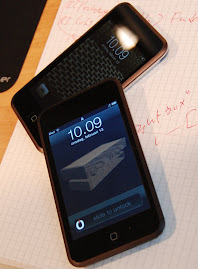
| Camera: Switch orientation | Portrait/Landscape mode. In a web application on iPod touch the browser controls the orientation via the accelerometer. Which mode is the application in its initial state? |
| Camera: Thumbnails Camera: Picture-in-Picture | Map-in-map Thumbnails of saved locations |
| Camera: Themes | Themes (User theme, Administration theme) Indication of mode (like rumble icons on iPod touch) |
| Camera: Picture overlay Camera: Focus Camera: Lock Coffee Machine: Steam | Semi transparent overlays Controls - buttons? Dialogs Fade/Animation/Focus/Blur of currently disabled functions Lock Map Information Layers |
| Camera: Zoom Visualizations (18-55) | Zoom indication. How do you present which zoom level is active? |
| Coffee Machine: Extra settings hidden Coffee Machine: One-click-changes | Show/hide relevant information Give the user proper feedback |
| Coffee Machine: Specialized compartments | Show how many objects (e.g. items, stops) that are left. Drag-and-drop objects from a box. Handle like war shuffleboard-table. Place troops. Risk, Tabletop, World of Warcraft |
| Paper map: Icon explanation | Icon explanation (e.g. tooltips, help section, help, layer) |
| Paper map: City view/ Region view | Views, zoom-level (e.g. city, region). Can this be visualized via icons of a city, region etc? |
| Paper map:City view/ Region view | Map views: Full screen (one map view) Map-in-map (several map views) Side-by-side (several map views) Overlay (several map views) |
| Paper map: City size visual | Visualize importance of different objects (e.g. size, color). Could be airports, hospitals but also units and items. |
| Paper map: Distance between two pins on map Paper map: Distance table | Show distance between to points. Perhaps by just press two points on map with two fingers. |
Environmental/Device issues
| Input from Interaction Relabeling | Output from Brainstorming |
| Coffee Machine: Need manual to handle it (bad) | Easy to use |



Inga kommentarer:
Skicka en kommentar